Syncoda: the electronic register for conservatories
One-to-one lessons, ensemble classes, calendars that change every week: a register written from scratch for the way a conservatory really works. The lesson screen, lessons and their states, the rules it is written by; and since September, a website of its own.
A conservatory is not a school like any other. Lessons are one-to-one or in small groups, calendars change every week, and the same teacher teaches an instrument, ensemble music and theory to students on different courses. Electronic registers designed for compulsory schooling fit badly here.
Syncoda is our electronic register for conservatories: not an adaptation, a project written from scratch. It was born with a working name, Regista; today it is called Syncoda, and it is the only project the whole software team works on.
The lesson screen
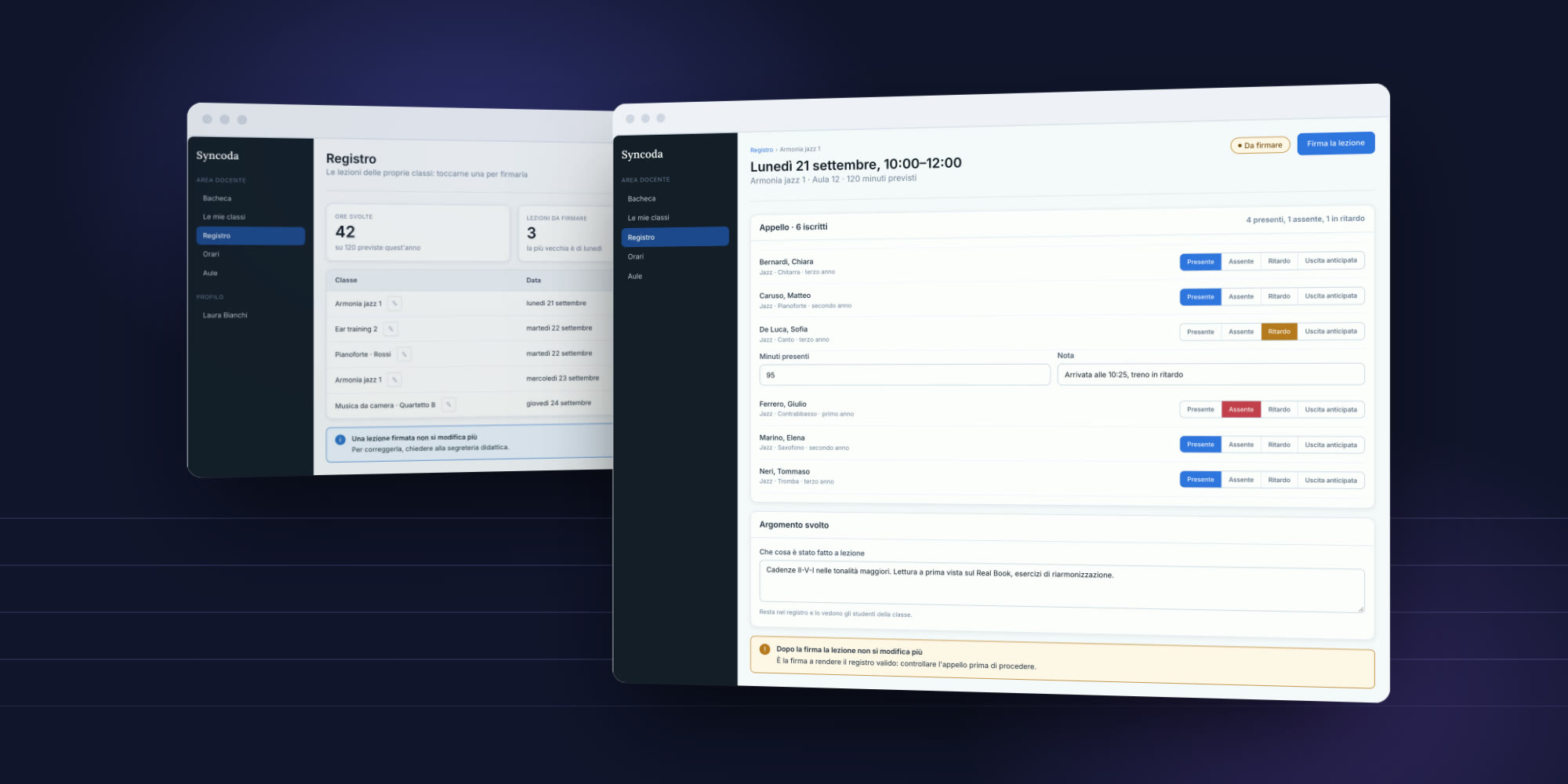
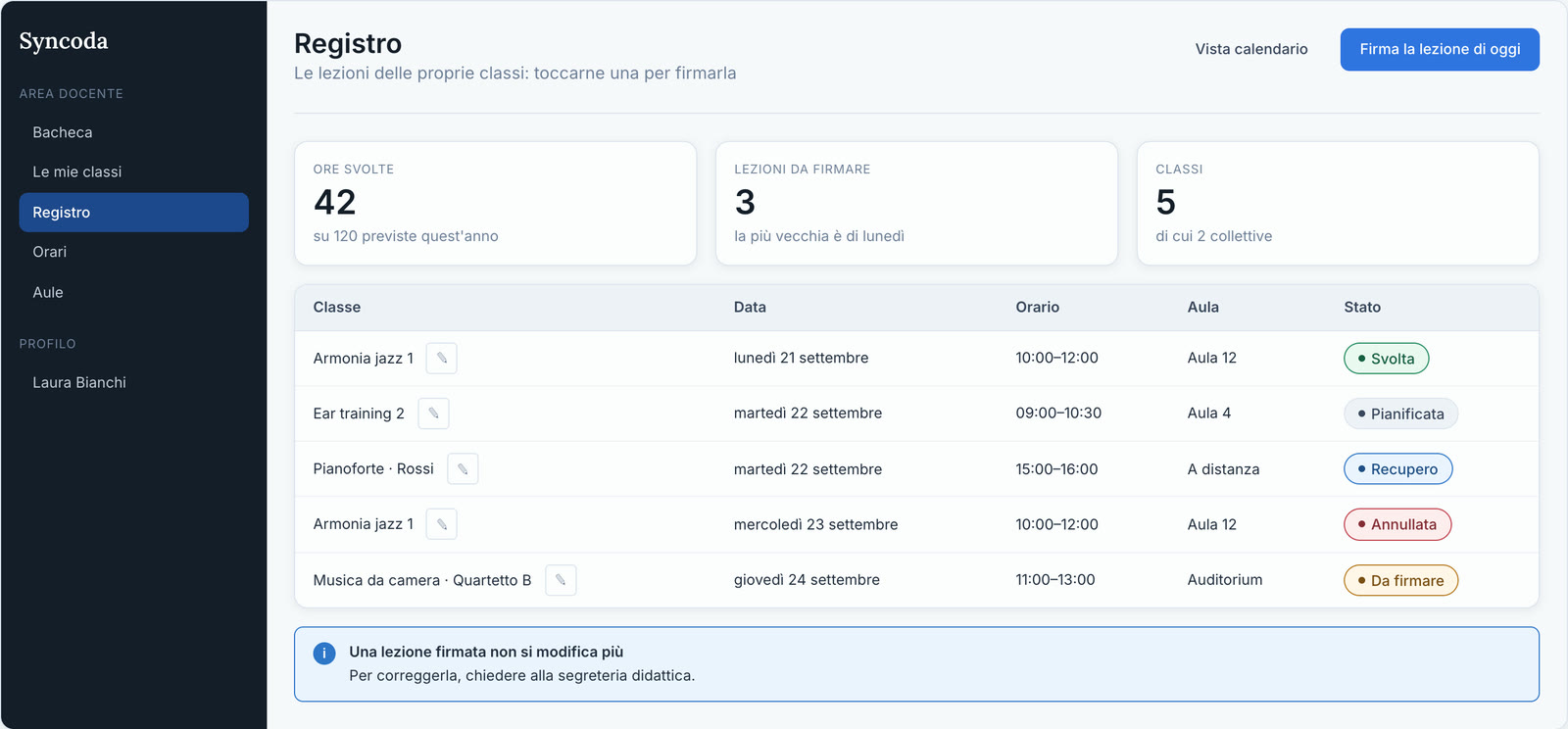
It is the screen where the teacher gives the lesson, and the most important one in the register.
- The roll call. For every student enrolled: present, absent, late, left early. The summary at the top updates as you mark.
- The minutes. Whoever arrives late or leaves early has their own minutes of attendance, with a note to say why.
- The topic covered. What was done in the lesson stays in the register, and the students of the class can see it.
- The signature. The signature is what makes the register valid. After it, the lesson can no longer be changed: correcting it takes the academic office.
Every lesson, each with its state
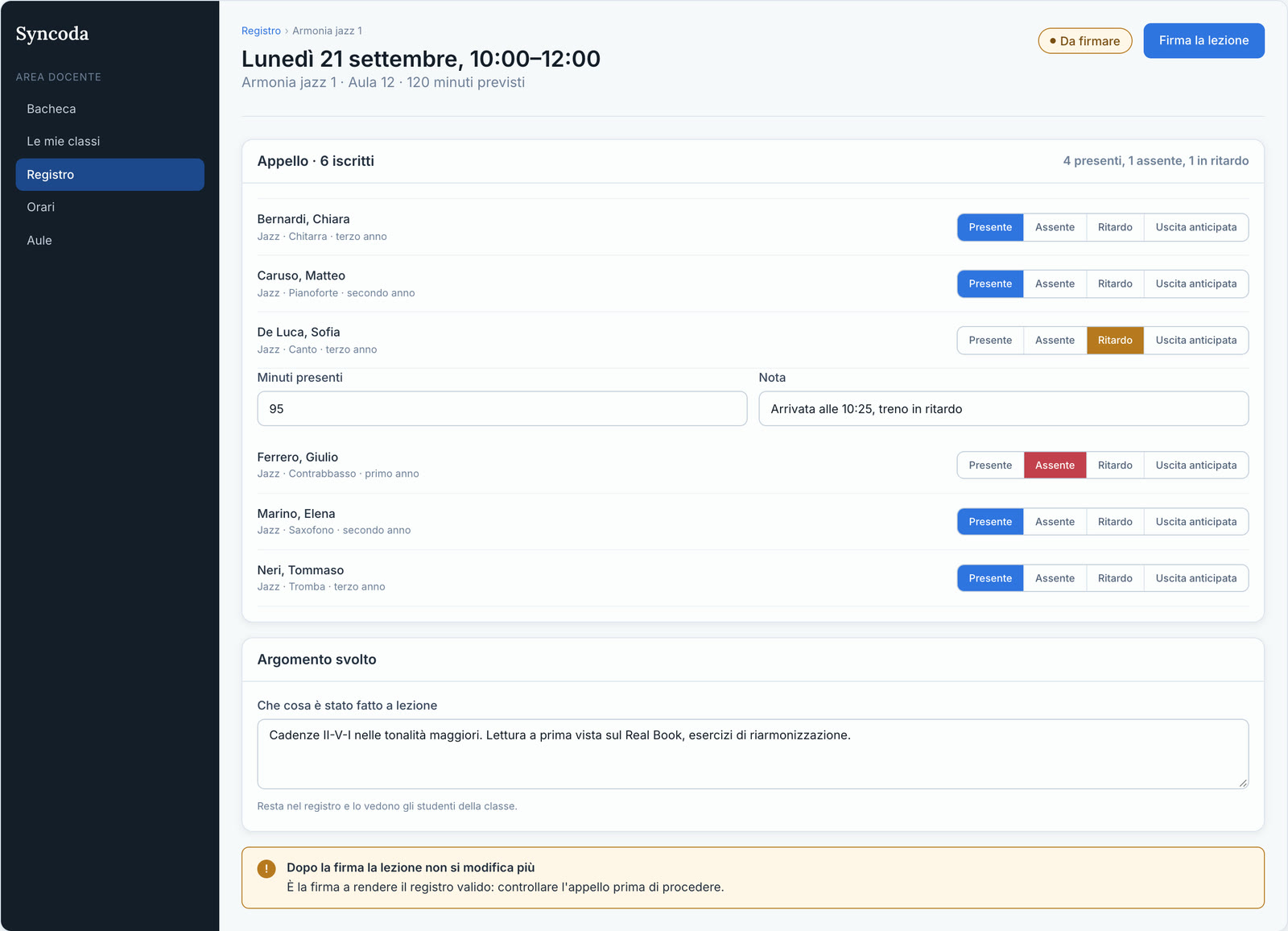
The teacher’s list says what is there: hours taught against those planned for the year, lessons still to sign, the classes, one-to-one and group. Every lesson has a state, with a colour and a word: planned, taught, to sign, make-up, cancelled. You tap a lesson and sign it.
How it is made
Before the screens we wrote the design system, with a few rules that hold everywhere:
- The conservatory’s words. Class, course, subject area, roll call, lesson: the ones the registry office uses. Never «record», never «entity».
- Errors say the remedy. Not the server’s message, but what happened and what to do now: «The room is already booked in that slot. Choose another one, or change the time.»
- One action at a time. Every screen has a single main button: the action you expect.
- Nothing gets deleted by mistake. Deleting never sits in a table: it lives inside the record card, and asks for a press-and-hold confirmation.
- Colour plus word. Every state has its colour and its name, so it reads even if you cannot tell green from red.
Who works on it
Four people: project direction, interface and user experience, frontend, backend. Every screen is discussed with the people who will use it: teachers, registries, management.
Where it comes from
From years of working alongside conservatories. Knowing an institution from the inside changes the software you write for it: you start from the real problems of someone who signs off a lesson or looks for a free classroom, not from a tender specification.
Everything it does
The register is the heart of it, and around it sits the whole academic life of a conservatory, from admission to the final exam:
- Admissions. Applications are made online, with an account for every candidate; the registry organises the sessions and follows each candidate.
- Students. Personal records, career, enrolment in the year and in classes, on a single record card.
- The study path. Each student’s individual study plan, with credit recognition, prerequisites and shared courses.
- The register and exams. Lessons, attendance and signature; exam sessions, bookings, marks, boards and the final exam.
- Timetables and rooms. The timetable becomes a calendar, with closures and holidays; teachers request a room and Syncoda assigns it.
- Fees. ISEE declarations, certificates and payments through pagoPA, Italy’s public payment system.
- The registry. Documents, deadlines, notices, and a trail of every change: who did what, and when.
- Access. Management, registry, teachers and students each sign in with their own role, and see what they need.
Since September Syncoda also has a website of its own, syncoda.grstudiosrl.it (in Italian), with the real screens to open in the browser.
If you work in a conservatory and would like to see it, write to us: we are happy to show it. Everything we do for higher arts education institutions (AFAM) is gathered on the For conservatories page.